ROS Service Server
The Follow Along Examples:
ROS Service Server <- you are here
Follow along: ROS Service Server Example
The program launching process along with parameter settings are all simplified and set up on the Jupyter Notebook Environment.
- Open the 02_02_ros_service_client.ipynb Jupyter Notebook
- Import the necessary python libraries and modules
- Follow and Execute the example codes
(The Jetson Board used for these examples are => Jetson Nano)
Open the following jupyter notebook:
02_02_ros_service_client.ipynb
To run the cells within the notebook use Ctrl + Enter
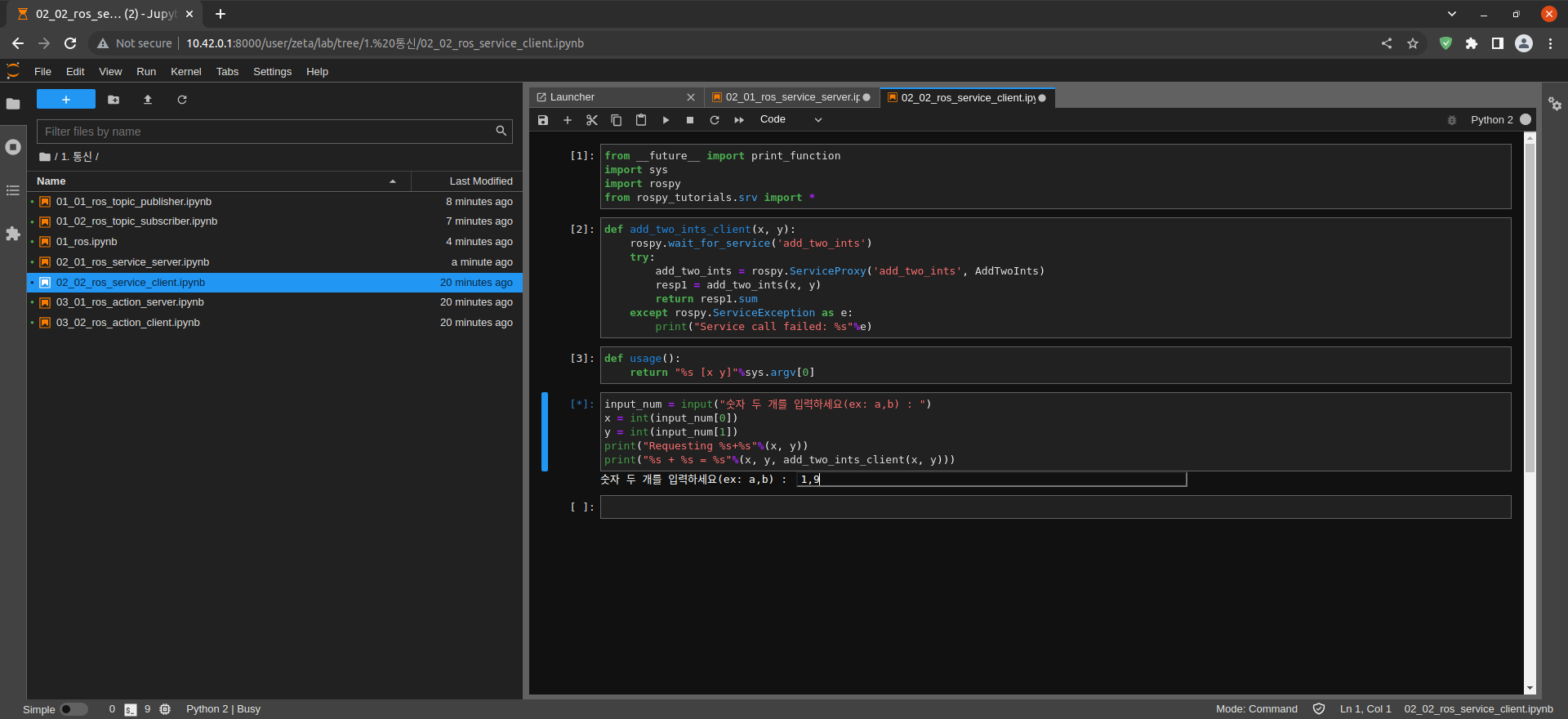
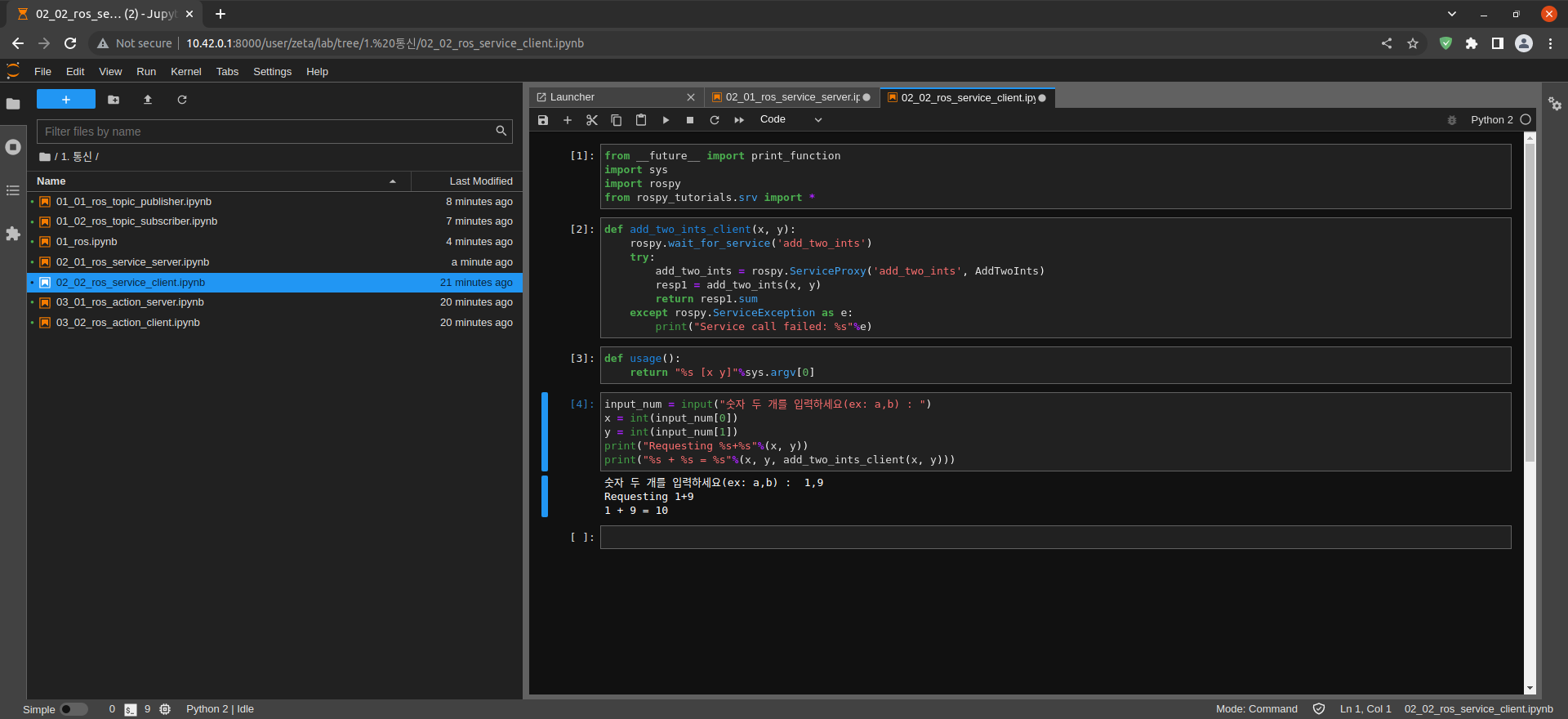
Import print_function from __future__ module for Python3 compatibility
Import sys module
Import rospy_tutorials.srv module
Import rospy modules
from __future__ import print_function
import sys
import rospy
from rospy_tutorials.srv import *
Create add_two_ints_client() function
Create add_two_ints_client()
Get add_two_ints Service result
exception handling
def add_two_ints_client(x, y):
    rospy.wait_for_service('add_two_ints')
    try:
        add_two_ints = rospy.ServiceProxy('add_two_ints', AddTwoInts)
        resp1 = add_two_ints(x, y)
        return resp1.sum
    except rospy.ServiceException as e:
        print("Service call failed: %s"%e)
Get user input x, y, and output the calculation result:
def usage():
    return "%s [x y]"%sys.argv[0]
input_num = input("숫자 두 개를 입력하세요(ex: a,b) : ")
x = int(input_num[0])
y = int(input_num[1])
print("Requesting %s+%s"%(x, y))
print("%s + %s = %s"%(x, y, add_two_ints_client(x, y)))