Drag and Drop
# -*- coding: utf-8 -*-

import sys
import codecs
from PyQt5.QtWidgets import QApplication, QLabel, QVBoxLayout, QWidget
from PyQt5.QtGui import QPixmap
from PyQt5.QtCore import Qt
@@ -12,13 +13,15 @@ def __init__(self):
        self.label = QLabel(self)
        self.label.setText("Drag & Drop an Image or Text here!")
        self.label.setAlignment(Qt.AlignCenter)
        self.label.setWordWrap(True)

        layout = QVBoxLayout()
        layout.addWidget(self.label)

        self.setLayout(layout)

        self.setAcceptDrops(True)
        self.setMinimumSize(300, 200)

    def dragEnterEvent(self, event):
        mime = event.mimeData()
        if mime.hasUrls():  # 파일 URL이 있는지 확인
            # 첫 번째 URL만 사용 (다중 파일 선택을 지원하지 않음)
            file_url = mime.urls()[0]
            pixmap = QPixmap(file_url.toLocalFile())  # 파일 경로로 QPixmap 로드
            self.label.setFixedSize(pixmap.size())  # 라벨의 크기를 QPixmap의 크기에 맞게 조정
            self.label.setPixmap(pixmap)
            self.setFixedSize(pixmap.size())  # 메인 윈도우의 크기를 QPixmap의 크기에 맞게 조정
            file_url = mime.urls()[0].toLocalFile()
            if file_url.endswith('.txt'):
                with codecs.open(file_url, 'r', encoding='utf-8') as file:
                    content = file.read()
                self.label.setText(content)
                self.label.adjustSize()
                self.resize(self.label.width(), self.label.height() + 50)
            else:
                pixmap = QPixmap(file_url)
                self.label.setPixmap(pixmap)
                self.label.setFixedSize(pixmap.size())
                self.setFixedSize(pixmap.size())
        elif mime.hasText():
            self.label.setText(mime.text())
            self.label.adjustSize()  # 라벨 크기를 텍스트 크기에 맞게 조절
            self.resize(self.label.width(), self.label.height() + 50)

if __name__ == '__main__':
    app = QApplication(sys.argv)
    window = DragDropWidget()
    window.show()
    sys.exit(app.exec_())
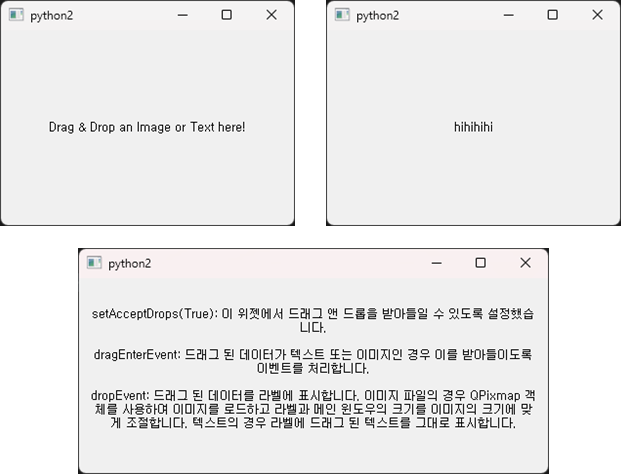
In this example, functionality has been implemented to display content on the widget when the user drag-and-drops a text or image file onto the widget.
setAcceptDrops(True): This setting enables the widget to accept drag and drop actions.dragEnterEvent: Handles the event to accept if the dragged data is either text or an image.dropEvent: Displays the dragged data on the label. For image files, it loads the image using aQPixmapobject and adjusts the size of the label and the main window to the image size. For text, it directly displays the dragged text on the label.