How to Install Visual Studio Code
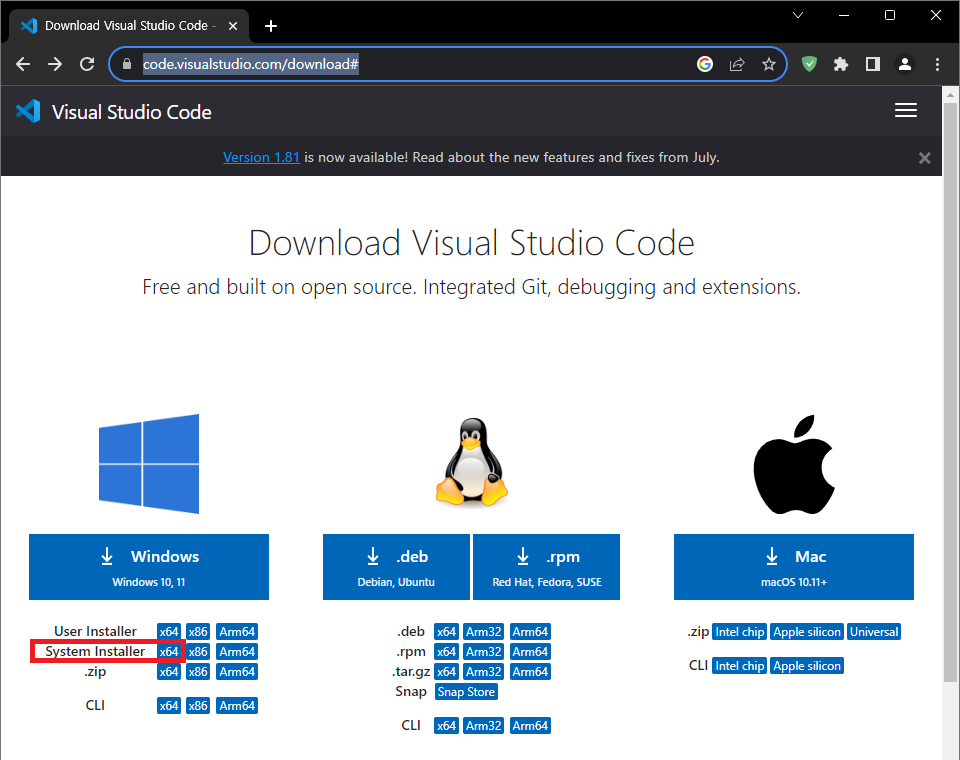
Download Visual Studio Code for Windows from the download page of the official Visual Studio Code website.
<https://code.visualstudio.com/download/>
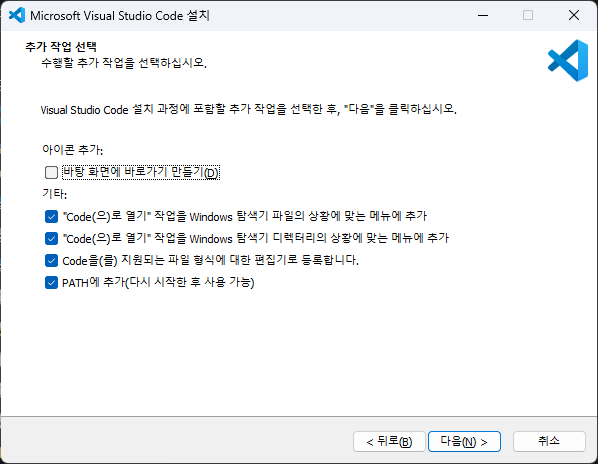
Proceed with the installation by selecting the desired option. Recommended options are pictured above.
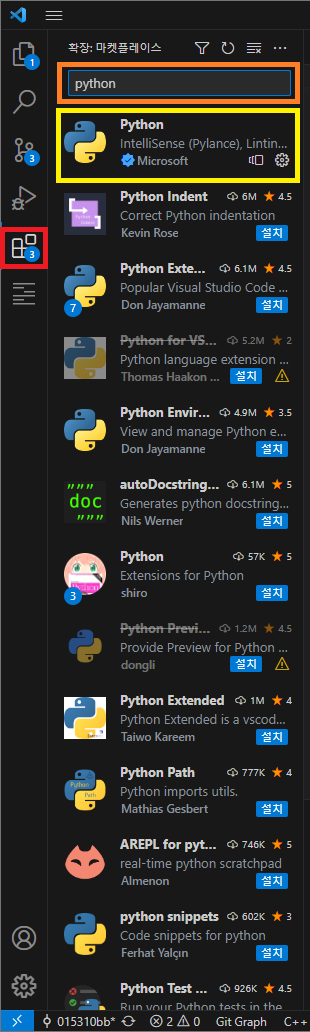
Install the Visual Studio Code plugin for Python.