Gesture Snake Game
Team GAME Section: Virtual Avoid Particle Game
The program launching process along with parameter settings are all simplified and set up on the Jupyter Notebook Environment.
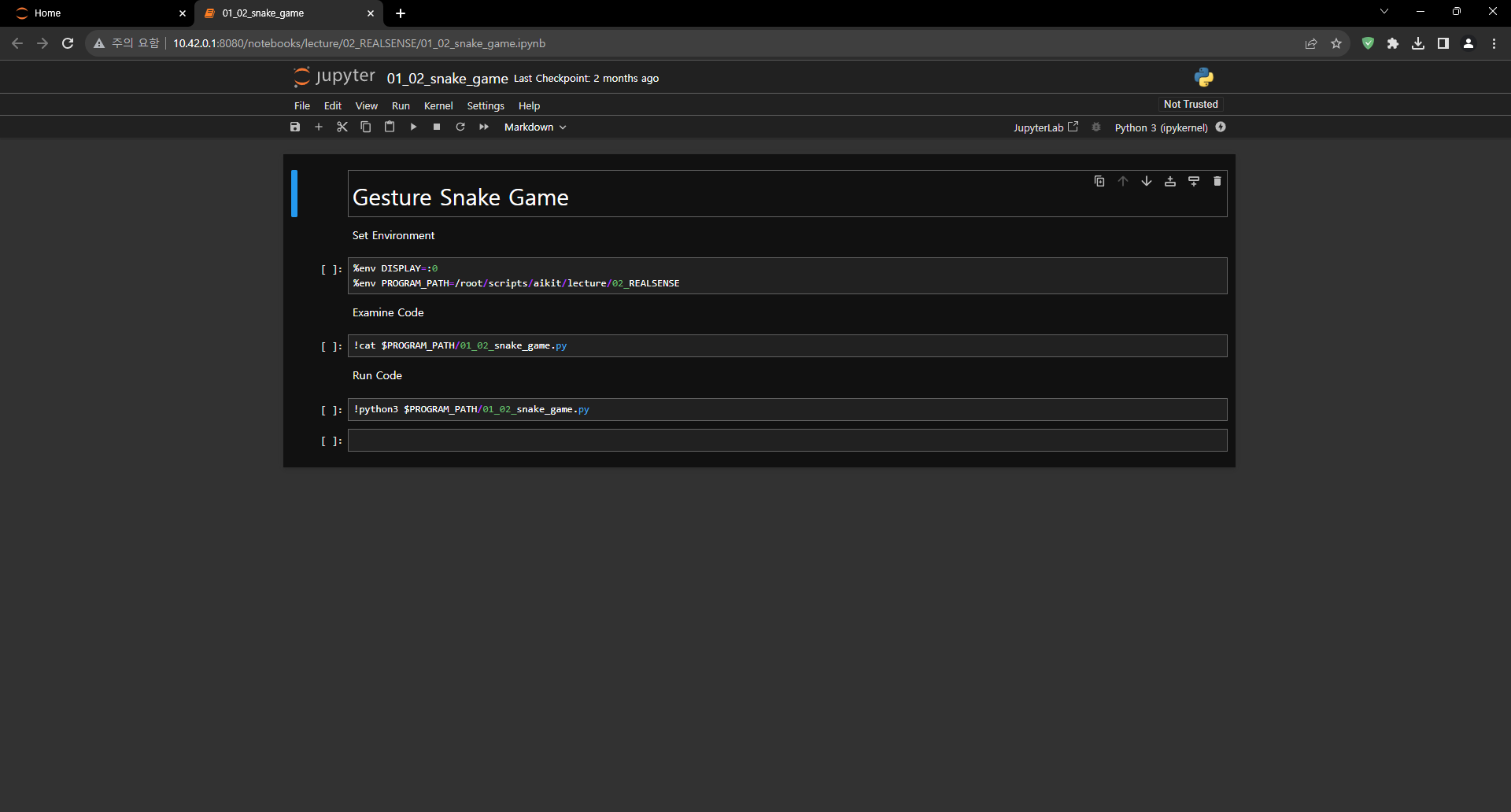
- Open the 01_02_snake_game.ipynb Jupyter Notebook.
- Let’s experience an augmented reality game using Intel RealSense as a team.
- Make sure your display is connected to your Jetson Nano!
(The Jetson Board used for these examples are => Jetson Nano)
01_02_snake_game.ipynb
- Running the cell code.Ctrl + Enter
When the code runs completely, you will see a window like the one below on your display.
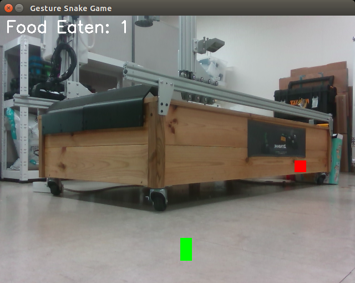
How To Play
The rules of the game are as follows.
Players can control a green snake.
If the green snake approaches the red food and succeeds in eating it, the ‘food eaten’ score increases by one.
Also, as you eat food, the green snake increases in length.
Let’s eat as much food as possible to make the snake grow longer.
Code Analysis
The game code consists of the following.
import cv2
import numpy as np
import pyrealsense2 as rs

# Constants for camera and game properties
WIDTH, HEIGHT = 640, 480
FPS = 30
SNAKE_SIZE = 20
FOOD_SIZE = 20
MOVEMENT_THRESHOLD = 60  # Adjust this value to control the sensitivity of the snake's movement

# Initialize RealSense camera pipeline
pipeline = rs.pipeline()
config = rs.config()
config.enable_stream(rs.stream.color, WIDTH, HEIGHT, rs.format.bgr8, FPS)
pipeline.start(config)

# Function to detect hand gesture (open palm)
def detect_hand(gray_image):
    # Threshold the grayscale image to segment the hand region
    _, thresh = cv2.threshold(gray_image, 120, 255, cv2.THRESH_BINARY)

    # Find contours of the hand
    contours, _ = cv2.findContours(thresh, cv2.RETR_EXTERNAL, cv2.CHAIN_APPROX_SIMPLE)

    # Get the position of the hand (centroid)
    hand_position = (0, 0)
    if len(contours) > 0:
        contour = max(contours, key=cv2.contourArea)
        M = cv2.moments(contour)
        if M["m00"] != 0:
            cx = int(M["m10"] / M["m00"])
            cy = int(M["m01"] / M["m00"])
            hand_position = (cx, cy)

    return hand_position

# Function to generate random coordinates for the food
def generate_food_coordinates():
    return np.random.randint(FOOD_SIZE, WIDTH - FOOD_SIZE), np.random.randint(FOOD_SIZE, HEIGHT - FOOD_SIZE)

# Main game loop
def main():
    global snake_x, snake_y, snake_body, food_x, food_y, food_count

    # Initialize the snake's initial position and direction
    snake_x, snake_y = WIDTH // 2, HEIGHT // 2
    snake_dx, snake_dy = 0, 0

    # Initialize a list to store the snake's body coordinates
    snake_body = []

    # Generate the initial food position
    food_x, food_y = generate_food_coordinates()

    # Initialize food count
    food_count = 0

    while True:
        # Wait for a frame from the camera
        frames = pipeline.wait_for_frames()
        color_frame = frames.get_color_frame()
        if not color_frame:
            continue

        # Convert the frame to a NumPy array
        color_frame = np.asanyarray(color_frame.get_data())

        # Flip color frame horizontally (mirror)
        color_frame = cv2.flip(color_frame, 1)

        # Convert the color frame to grayscale
        gray_frame = cv2.cvtColor(color_frame, cv2.COLOR_BGR2GRAY)

        # Use detect_hand() to get the hand position
        hand_position = detect_hand(gray_frame)

        # Check if the snake eats the food
        if abs(snake_x - food_x) < SNAKE_SIZE and abs(snake_y - food_y) < SNAKE_SIZE:
            # Increase the snake's size
            snake_body.append((snake_x, snake_y))
            food_x, food_y = generate_food_coordinates()
            food_count += 1

        # Move the snake towards the hand's position with a threshold
        if abs(hand_position[0] - snake_x) > MOVEMENT_THRESHOLD:
            snake_dx = 1 if hand_position[0] > snake_x else -1
            snake_dy = 0
        elif abs(hand_position[1] - snake_y) > MOVEMENT_THRESHOLD:
            snake_dx = 0
            snake_dy = 1 if hand_position[1] > snake_y else -1

        # Move the snake in the current direction
        snake_x += snake_dx
        snake_y += snake_dy

        # Add the snake's head position to its body
        snake_body.append((snake_x, snake_y))

        # Trim the snake's body to keep it the same size
        if len(snake_body) > SNAKE_SIZE:
            del snake_body[0]

        # Draw the snake on the color frame
        for segment in snake_body:
            cv2.rectangle(color_frame, (segment[0], segment[1]), (segment[0] + SNAKE_SIZE, segment[1] + SNAKE_SIZE), (0, 255, 0), -1)

        # Draw the food on the color frame
        cv2.rectangle(color_frame, (food_x, food_y), (food_x + FOOD_SIZE, food_y + FOOD_SIZE), (0, 0, 255), -1)

        # Display the food count on the color frame
        cv2.putText(color_frame, f"Food Eaten: {food_count}", (10, 30), cv2.FONT_HERSHEY_SIMPLEX, 1, (255, 255, 255), 2)

        # Display the color frame with OpenCV
        cv2.imshow('Gesture Snake Game', color_frame)

        # Check for keyboard input to exit the game
        key = cv2.waitKey(1)
        if key == 27:  # Press 'Esc' to exit
            break

    cv2.destroyAllWindows()
    pipeline.stop()

if __name__ == "__main__":
    main()
Analyze how the code is progressing by team.