Other Mission Examples
Get coordinate information, Send to desired coordinate
Before the mission, we will explain how to get the coordinates and how to move to the specified coordinates.
- Get Coordinate Information
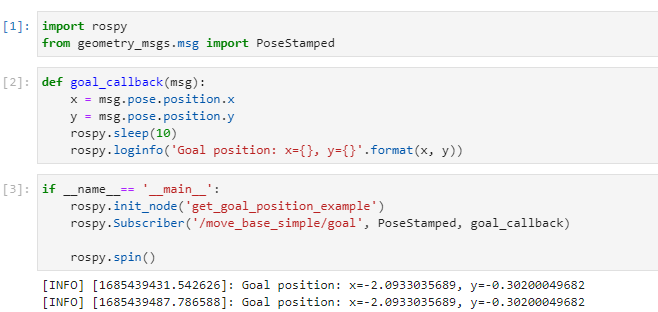
Run the goal_position example on Jupyter Hub.
Take a target point using the Start Nav Goal function in the Web GUI.
Looking at the picture below, the x, y coordinates are output.
- Send robot to desired coordinates
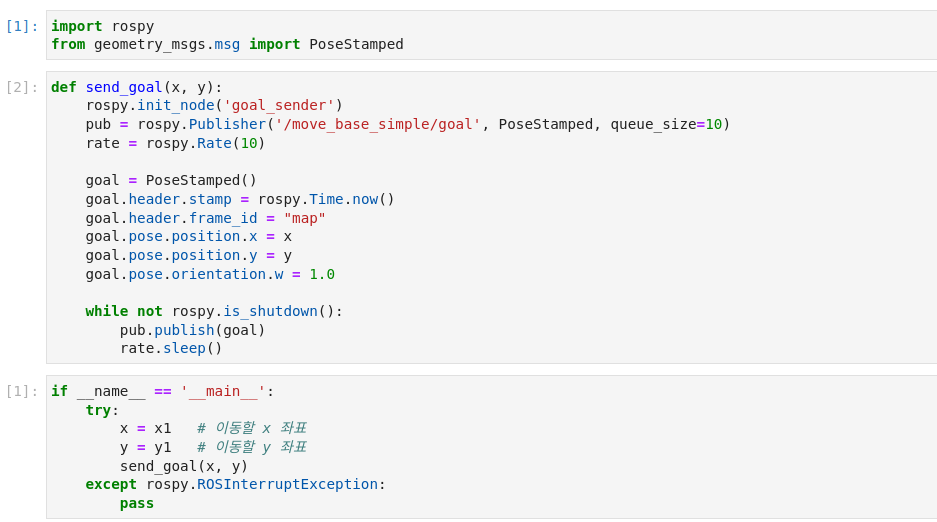
Open navi example on Jupyter hub
Enter the x, y coordinate information of the destination
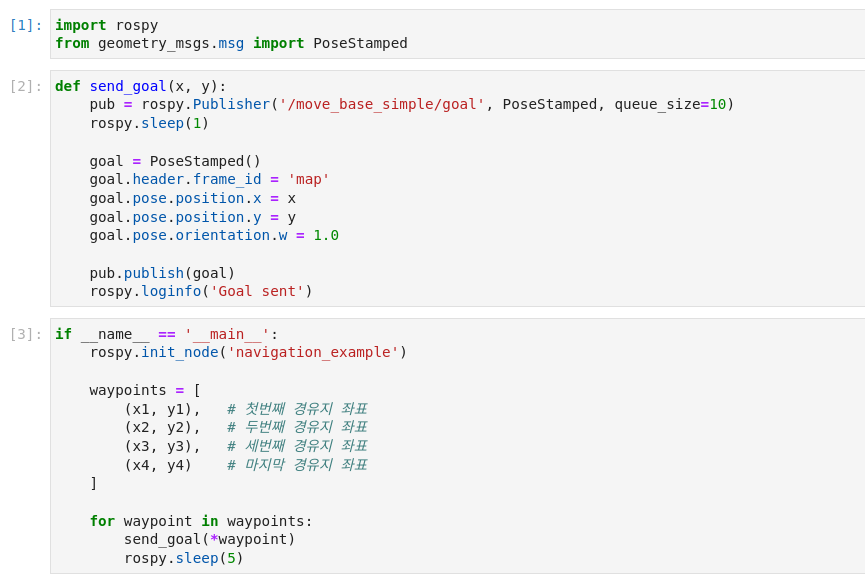
You can pass through several destinations.
Map Examples
Mission via target point
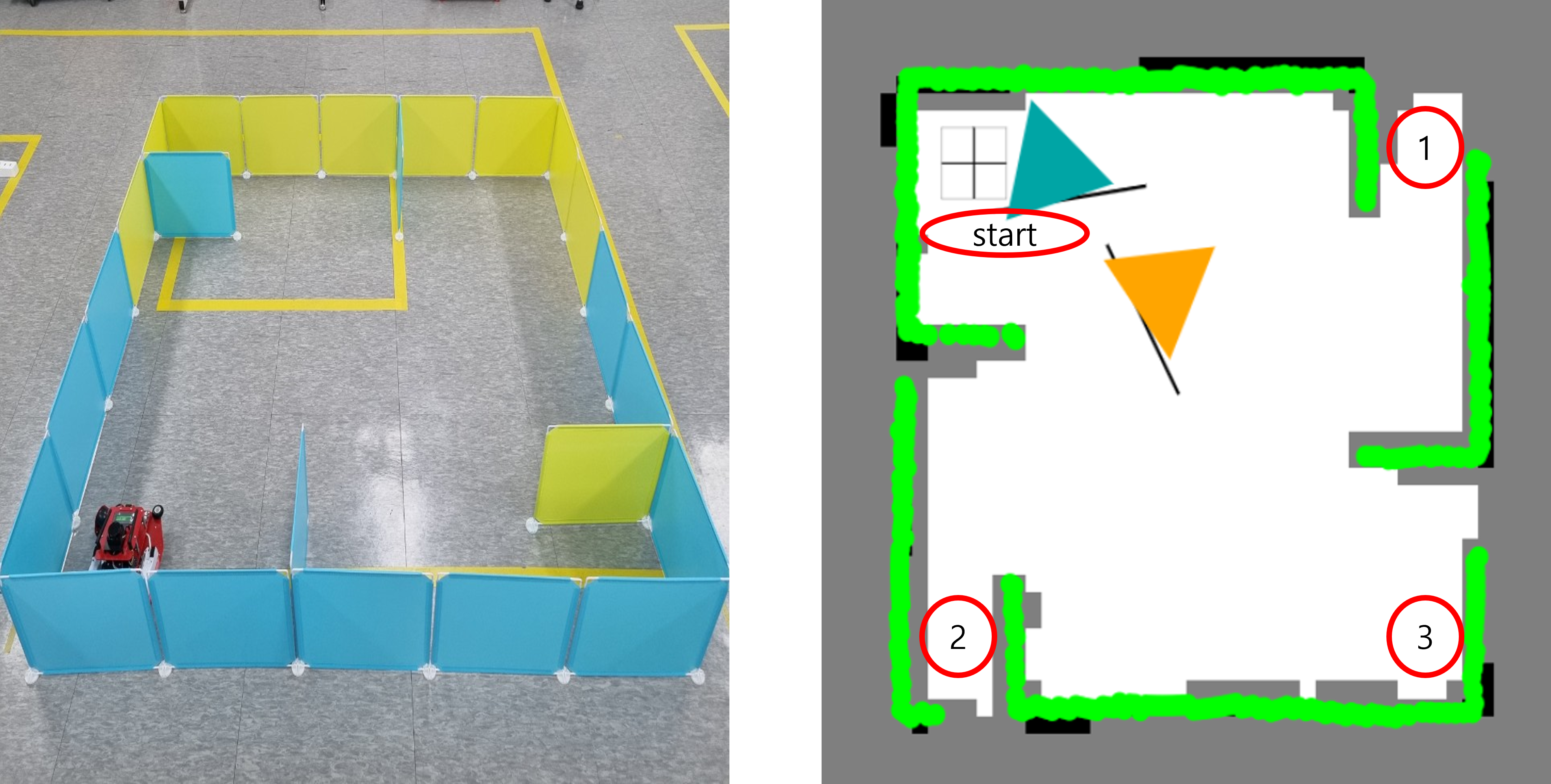
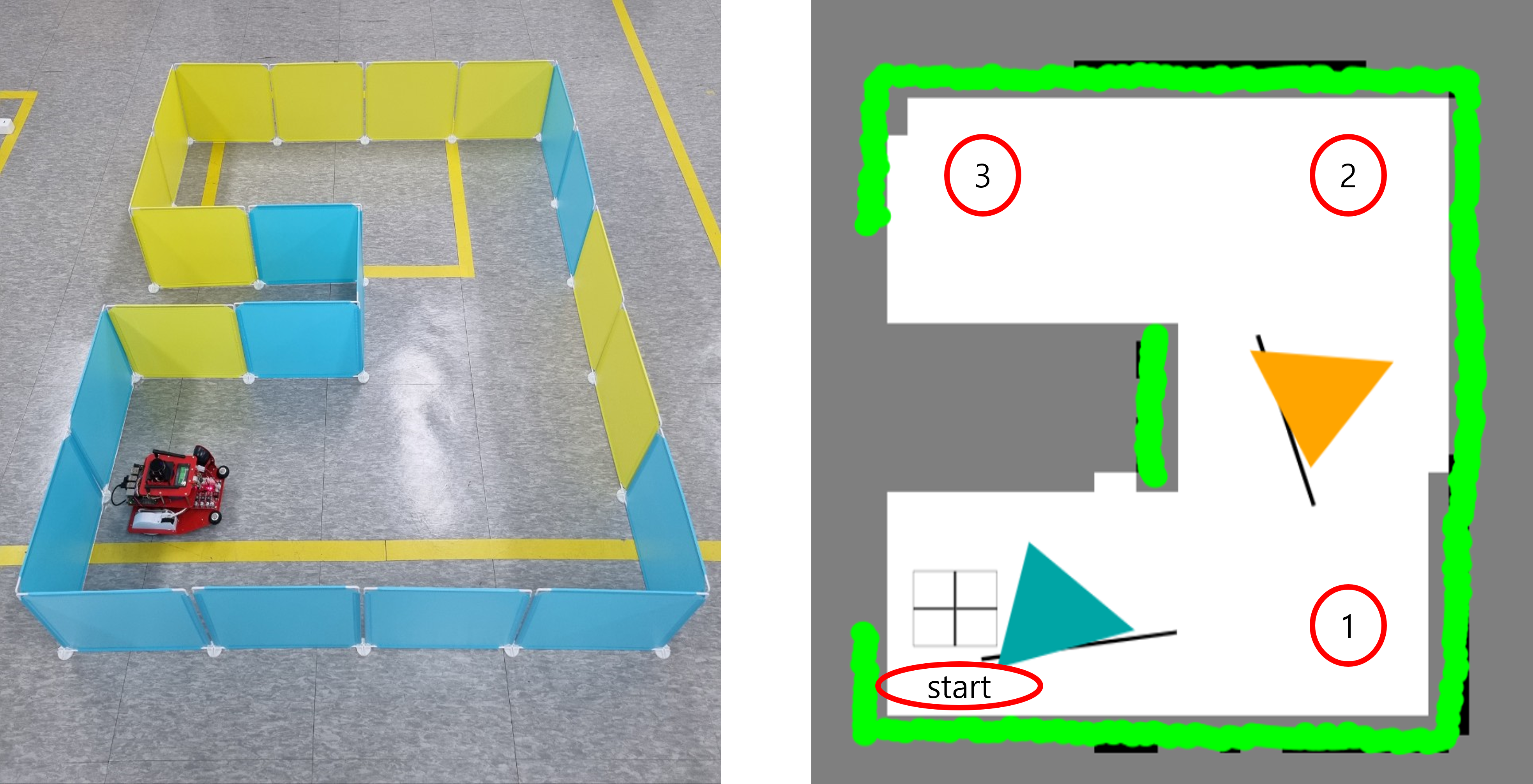
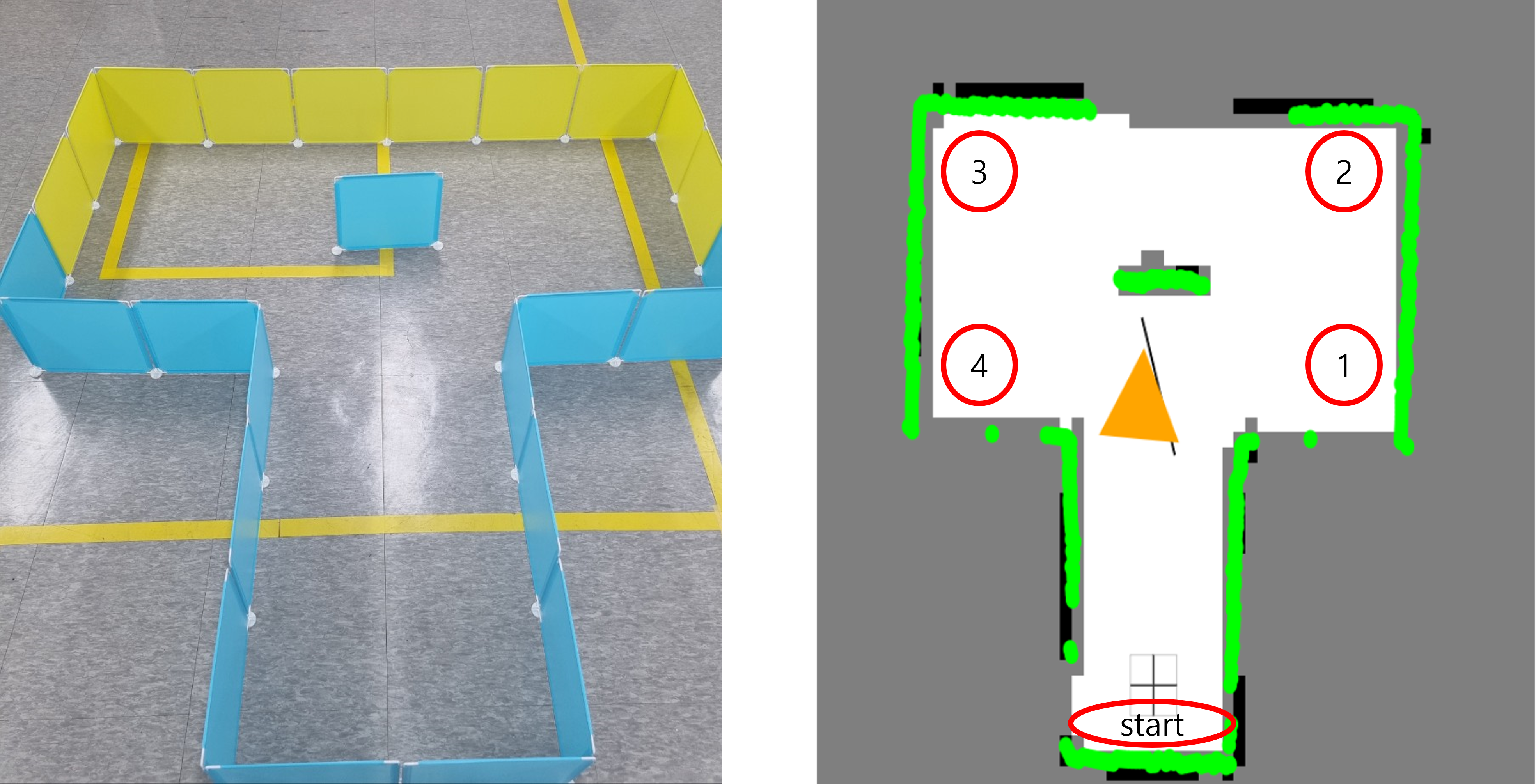
- Below are three maps.
- On each map, each waypoint is marked.
- Create a map with structures. After that, the robot is used to draw the map.
- The goal is to start at the start point and return to the start point by passing through the destination in order.
- You can choose from the examples below, or you can create and use your own maps.
D - MAP
T - MAP
WINDMILL - MAP